WORKOUT TRACKER COMPARISON
Best Gym Tracking App
Which tracker actually fits the way you train?
Eight workout trackers, eight different approaches. Compare what you can do for free, what each app does well and what might get in your way.
Product information checked October 2026
A QUICK FIT CHECK FROM RAOUT
01 / 03
Find Your Workout Tracker
Answer three quick questions. I'll show you where Raout fits, and when another app may suit you better.
Who decides what you train?
Three answers. No account needed.
RAOUT / GUIDE
Start with what you need
You don't need every feature. You need the right ones during your workout.
Eight gym trackers, side by side
Here's what each app helps with, what stays free and where the compromises begin.
An app can log every set and still be wrong for your routine. Some trackers focus on your own training plan. Others put advanced analysis, a community or generated workouts first. This comparison makes the trade-offs clear before you decide what to install.
| App | Best for | Free access | Know before choosing |
|---|---|---|---|
| Raout | Your own program, ready to log | One active program, your four most recent workouts and no ads. | Full history, unlimited programs and detailed progress views require Premium. It doesn't generate your plan for you. |
| Strive | Free charts, no cloud sync | Unlimited routines, history and advanced charts, without ads. | No automatic cloud sync or native smartwatch app, according to Strive. |
| Strong | Classic logging and Apple Watch | Unlimited completed workout logs; up to three saved workout templates. | More than three saved templates and some advanced tools require PRO. The template limit isn't a limit on workouts you can log. |
| Hevy | Workout logging with a community | Unlimited logged workouts, with limits of four routines and seven custom exercises. | Some charts and customization require Pro. Its social features aren't necessarily useful if you want to train privately. |
| RepCount | Free history and cross-device sync | Unlimited routines, custom exercises and workout history. | Advanced charts, supersets and dropsets are Premium features. |
| FitNotes | Straightforward free Android logging | The Android app is free and has no ads. | This original FitNotes app is Android-only. Manual backup isn't automatic cloud sync. |
| JEFIT | An exercise library and more guidance | Basic covers logging, history, custom routines and exercise instructions. | Advanced analysis, additional guidance and an ad-free experience are part of Elite. |
| Fitbod | Workouts planned for you | Seven-day trial rather than an ongoing full-featured free plan. | Full access requires a subscription after the trial. It makes more training decisions for you than a manual-first logger. |
Raout
Your own program, ready to log
One active program, your four most recent workouts and no ads.
Strive
Free charts, no cloud sync
Unlimited routines, history and advanced charts, without ads.
Strong
Classic logging and Apple Watch
Unlimited completed workout logs; up to three saved workout templates.
Hevy
Workout logging with a community
Unlimited logged workouts, with limits of four routines and seven custom exercises.
RepCount
Free history and cross-device sync
Unlimited routines, custom exercises and workout history.
FitNotes
Straightforward free Android logging
The Android app is free and has no ads.
JEFIT
An exercise library and more guidance
Basic covers logging, history, custom routines and exercise instructions.
Fitbod
Workouts planned for you
Seven-day trial rather than an ongoing full-featured free plan.
What each app is actually good at
A closer look at strengths, limits and the type of lifter each app makes sense for.
01 / 08
Raout
Your own program, ready to log
My workout-first tracker brings your planned session and previous weights and reps together. You can build custom programs, import a routine from a photo, use supersets, timed sets and a rest timer, and train offline with sync when connected.
Free access
One active program, your four most recent workouts and no ads.
What to know
Full history, unlimited programs and detailed progress views require Premium. It doesn't generate your plan for you.
02 / 08
Strive
Free charts, no cloud sync
Strive offers full workout history and advanced charts even in its free tier. The limitation is how you manage your data: workouts don't sync automatically. If you get a new phone, you'll need a backup to restore your history.
Free access
Unlimited routines, history and advanced charts, without ads.
What to know
No automatic cloud sync or native smartwatch app, according to Strive.
03 / 08
Strong
Classic logging and Apple Watch
Strong is built around recording strength workouts, with timers, progress tracking and Apple Watch support.
Free access
Unlimited completed workout logs; up to three saved workout templates.
What to know
More than three saved templates and some advanced tools require PRO. The template limit isn't a limit on workouts you can log.
04 / 08
Hevy
Workout logging with a community
Hevy combines routines and set logging with profiles, shared workouts, a social feed, web access and supported smartwatches.
Free access
Unlimited logged workouts, with limits of four routines and seven custom exercises.
What to know
Some charts and customization require Pro. Its social features aren't necessarily useful if you want to train privately.
05 / 08
RepCount
Free history and cross-device sync
RepCount lets you create routines and exercises, keep your workout history and sync your account between iOS and Android without paying.
Free access
Unlimited routines, custom exercises and workout history.
What to know
Advanced charts, supersets and dropsets are Premium features.
06 / 08
FitNotes
Straightforward free Android logging
The original FitNotes by James Gay logs weights, reps and cardio, with custom exercises, a rest timer, notes, calendar, CSV exports and manual backups.
Free access
The Android app is free and has no ads.
What to know
This original FitNotes app is Android-only. Manual backup isn't automatic cloud sync.
07 / 08
JEFIT
An exercise library and more guidance
JEFIT combines training logs and custom routines with a library of over 1,400 exercises, guidance and a community.
Free access
Basic covers logging, history, custom routines and exercise instructions.
What to know
Advanced analysis, additional guidance and an ad-free experience are part of Elite.
08 / 08
Fitbod
Workouts planned for you
Fitbod proposes strength sessions based on your goals, equipment and recovery, adapting its suggestions over time.
Free access
Seven-day trial rather than an ongoing full-featured free plan.
What to know
Full access requires a subscription after the trial. It makes more training decisions for you than a manual-first logger.
How to choose without overthinking it
Already have a training plan? Focus on how easily you can see last time, adjust a set, work without reception and pick up where you left off. If you want help choosing exercises, a guided app is a different product. And if friends and community keep you motivated, social features may be worth the extra screens.
RAOUT
Why I built Raout this way
I built Raout because I already knew how I wanted to train. I didn't need another app to write my program. I needed my workout ready when I walked into the gym, my previous weights and reps beside today's sets, and a quick way to log the work and get back to lifting. Raout also lets you import a routine from a photo, works offline and syncs when you're back online. There are no ads. I kept the free plan genuinely usable, with one active program and your four most recent workouts; unlimited programs, full history and deeper progress views are Premium. Simple by design, built for serious training.
Get Raout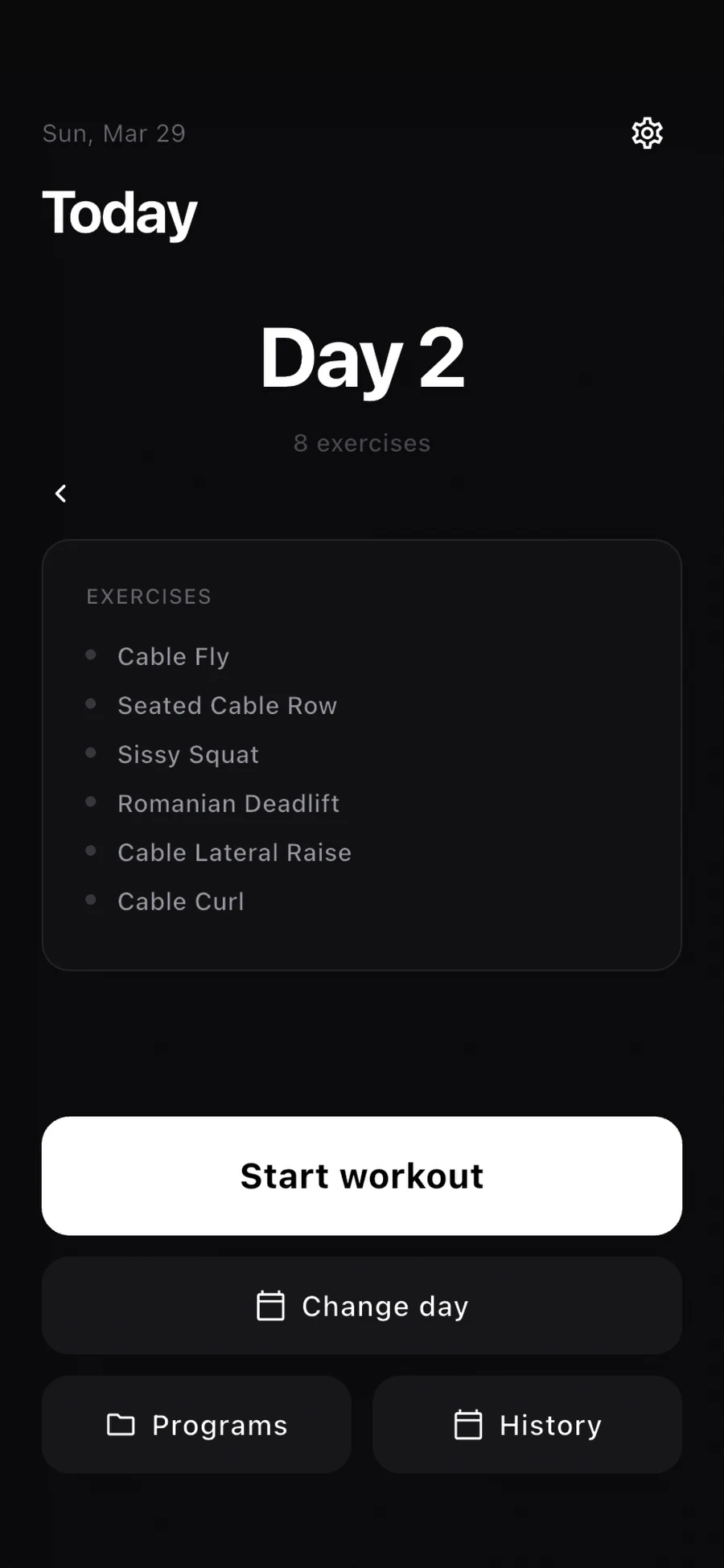
Questions before you choose
What's the best workout tracker if I already have a routine?
Look for a log that makes your previous sets easy to find and lets you follow your own program. Raout, Strong, Strive, RepCount and FitNotes all support self-directed training, but their free limits and sync options differ.
Is a free gym tracker good enough?
Often. FitNotes is free on Android, and Strive and RepCount have generous free plans. Raout is free without ads, with one active program and your four latest workouts in history. More programs and full history are Premium.
Do I need an AI workout coach?
Not if you already know what you want to train. Fitbod makes more sense when you want the app to choose and adapt your sessions.
What's the difference between offline tracking and cloud sync?
Offline means you can log workouts without a connection. Cloud sync means those records can be transferred between devices. Some trackers support both, others rely on manual backups.
How this comparison was researched
I wrote this comparison using the apps' official sites, help pages and store listings checked in October 2026. I haven't tested all eight apps side by side or measured their logging speed. Pricing, free-plan limits and integrations may change, so confirm the current terms in your country.
I'm the developer of Raout, so naturally I'd love you to try it. But if you need generated workouts, a community or a different free plan, you should know that before downloading.
RAOUT
Your training. Less time in the app.
Bring your own routine, keep last time close and get back to lifting.